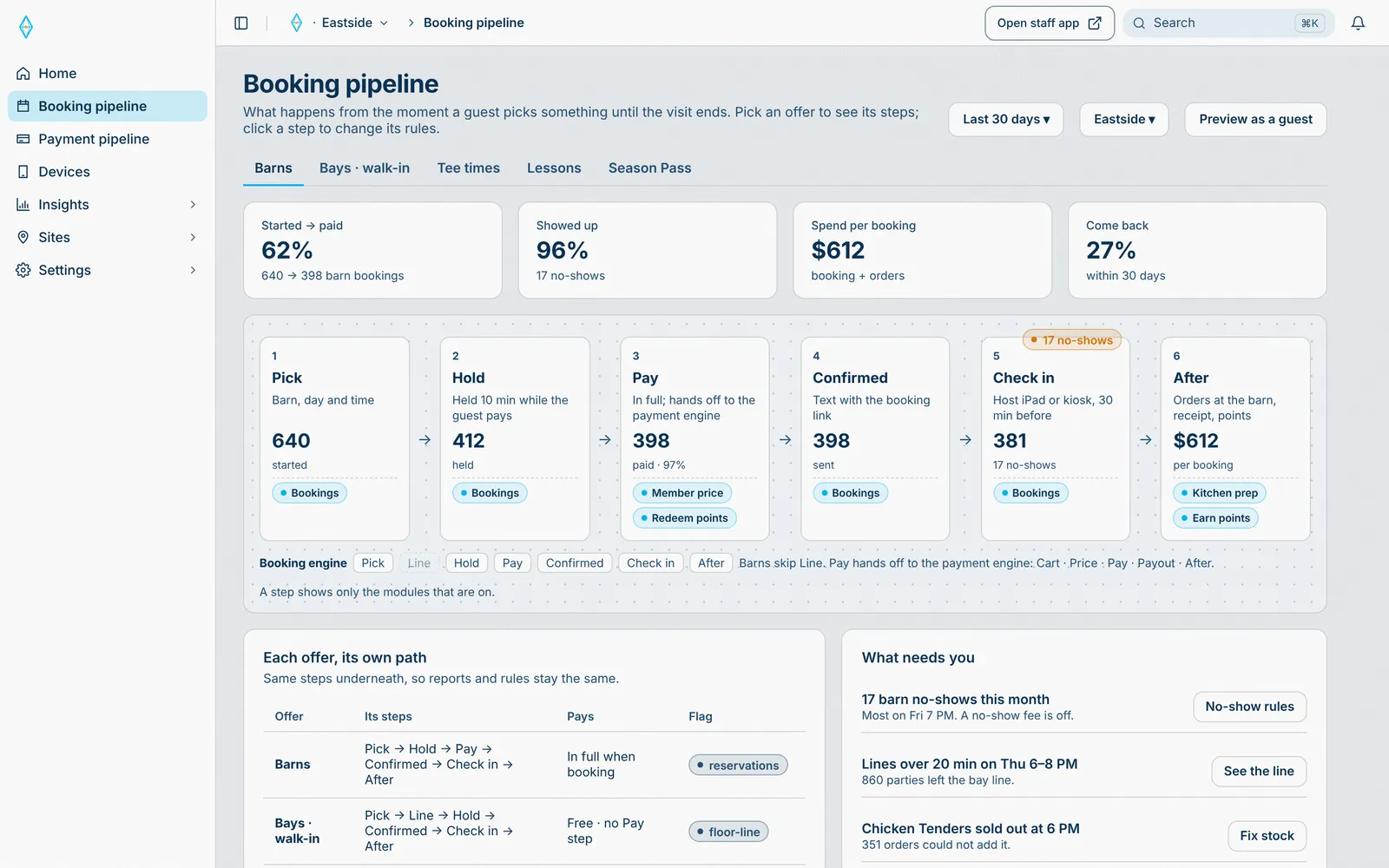
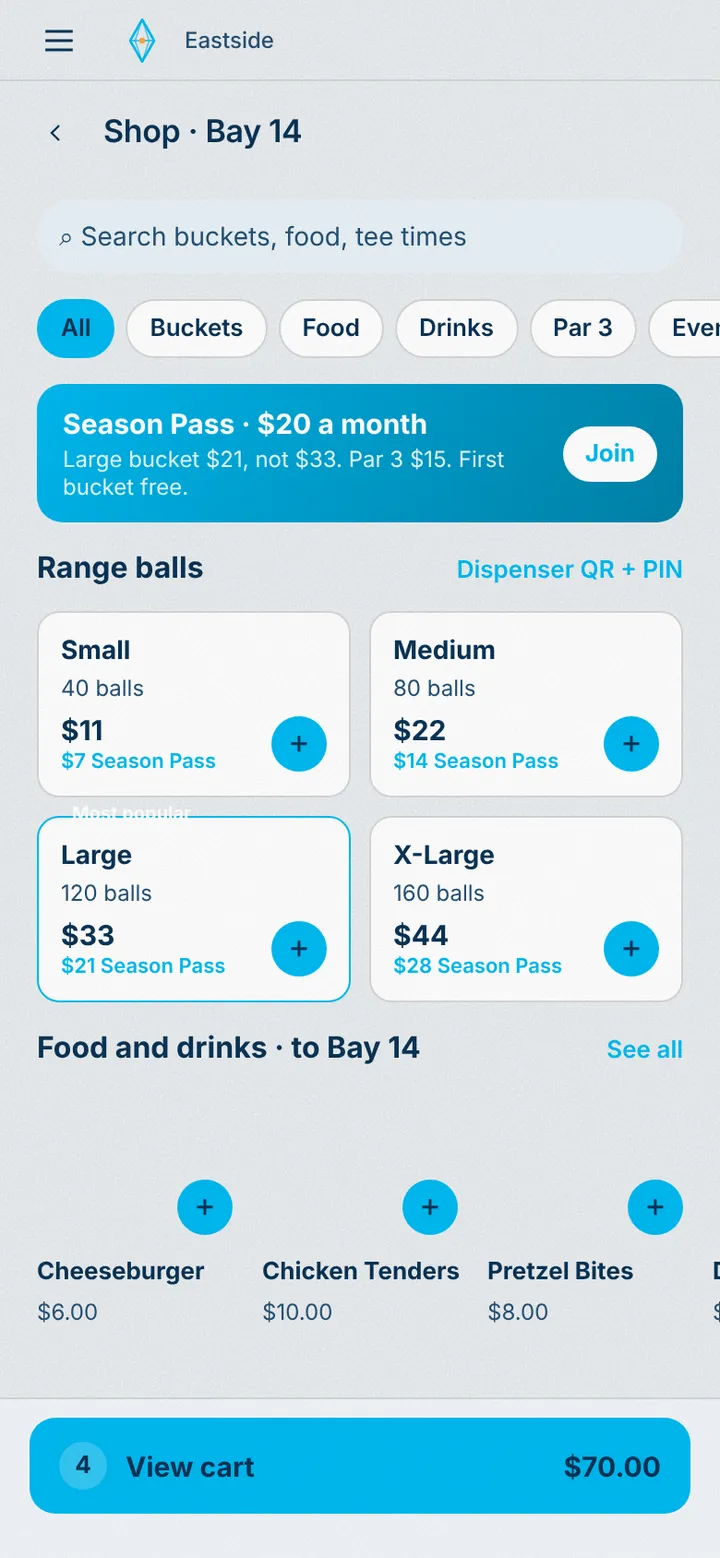
Booking engine
Every way a guest gets a time, a space, or a ticket, as one pipeline: offer, hold, pay, check in, release. You change the steps; modules add their own.
Product
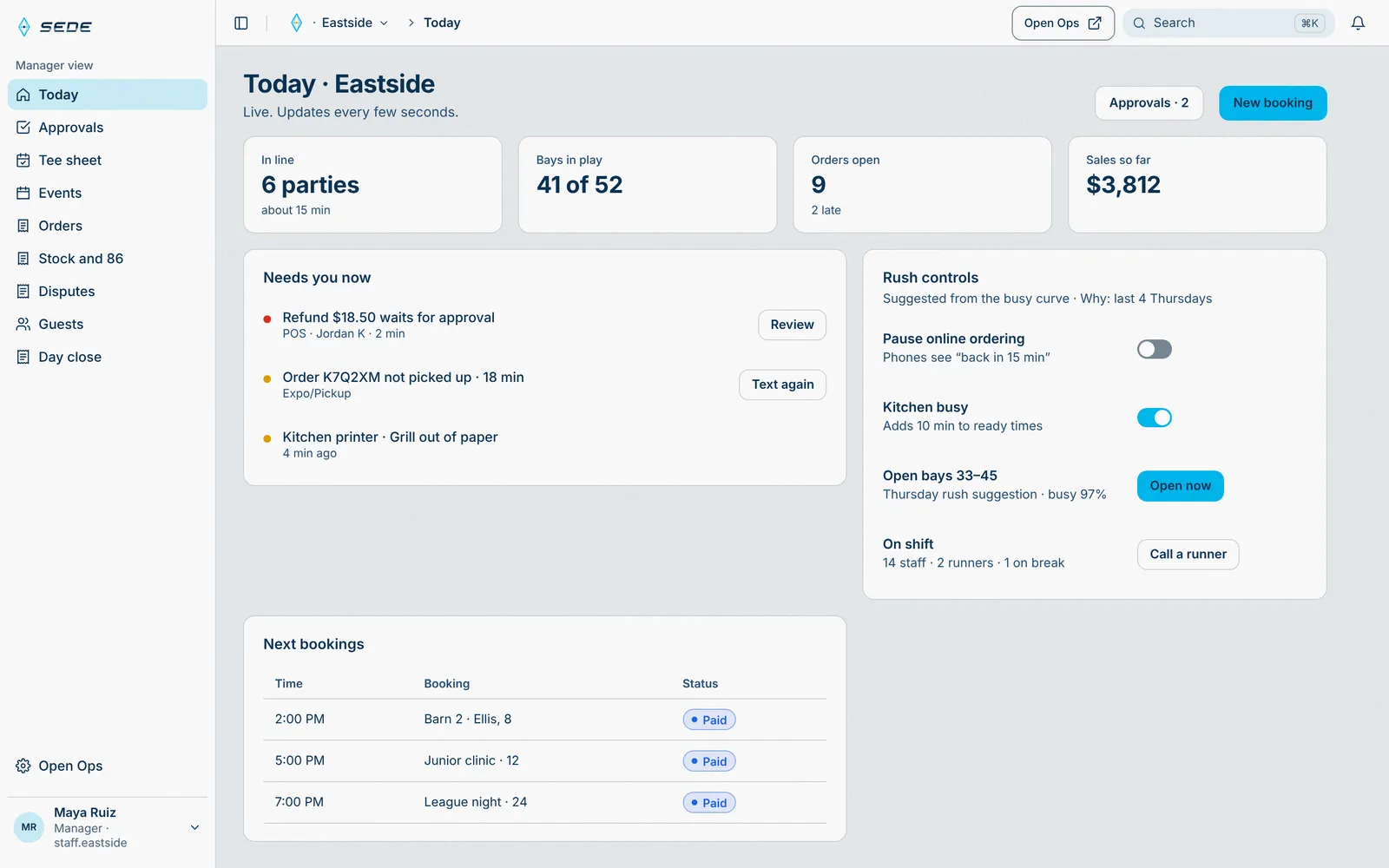
Bookings, payments, the guest app, the staff app, and the HQ. Add the modules you run.
The core
Every way a guest gets a time, a space, or a ticket, as one pipeline: offer, hold, pay, check in, release. You change the steps; modules add their own.
Single payments on your own Stripe account. Every charge is recorded once, written to a ledger, and reconciled with Stripe.
Guests open it from a QR on site or a text link, in the browser. No download, no password. A site can also have its own iPhone app.
One app for every station, on each paired iPad or on the web. One job per iPad: host, door, POS, runner, kitchen, Expo, or kiosk. Managers get Today and Approvals; the day closes itself.
Where owners and managers set up the site: offers and prices, devices, team and roles, money and reports.
Sales, orders, visits, and wait times across every site, by trading day.
Module highlights
Each category plays its flows on a loop, on the real screens. Pause any time.
Core
3 flows · 6 real screens
01 · Sell
2 flows · 7 real screens
02 · Floor and bookings
4 flows · 14 real screens
03 · Guests
3 flows · 7 real screens
04 · HQ
6 flows · 17 real screens
05 · Connect
3 flows · 5 real screens
Insights
Every guest has a profile, and every visit adds to it. The HQ turns those visits into the numbers that matter.
Guest profile
Last visit
The guest journey · last 30 days
Example data from Eastside. Real Sede screens show the same numbers in the HQ.
Modules
Every module turns on or off for each site.
Take the money wherever the guest is.
| Module | What it does · settings in Sede HQ |
|---|---|
| POS | Any iPad is a POS. It sells items, passes, and memberships, and keeps selling when the internet drops.
|
| Online ordering | Guests scan the QR, order, and pay once. Each station gets its own ticket.
|
| Kitchen display | Tickets route by station. Bump, mark ready, and hand off at Expo.
|
Hand out spaces, times, and tickets.
| Module | What it does · settings in Sede HQ |
|---|---|
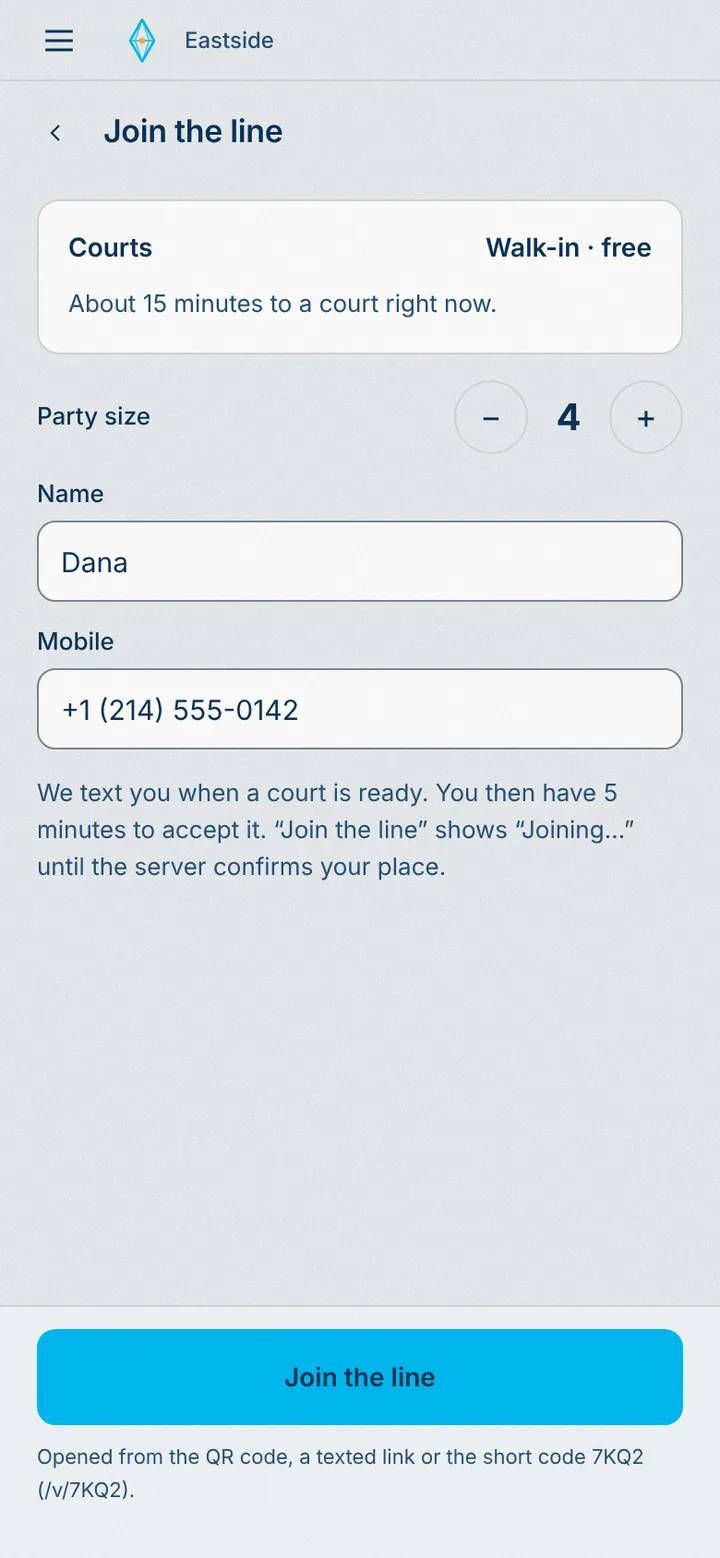
| Floor & line | Guests join the line by QR. The line offers the next open space to the next party that fits.
|
| Bookings | Guests pick a space or a coach and a time, pay, and change or cancel by link. Lessons included.
|
| Events | Guests buy and transfer tickets. The door scans them in and lets standby in.
|
Keep them safe, and keep them coming back.
| Module | What it does · settings in Sede HQ |
|---|---|
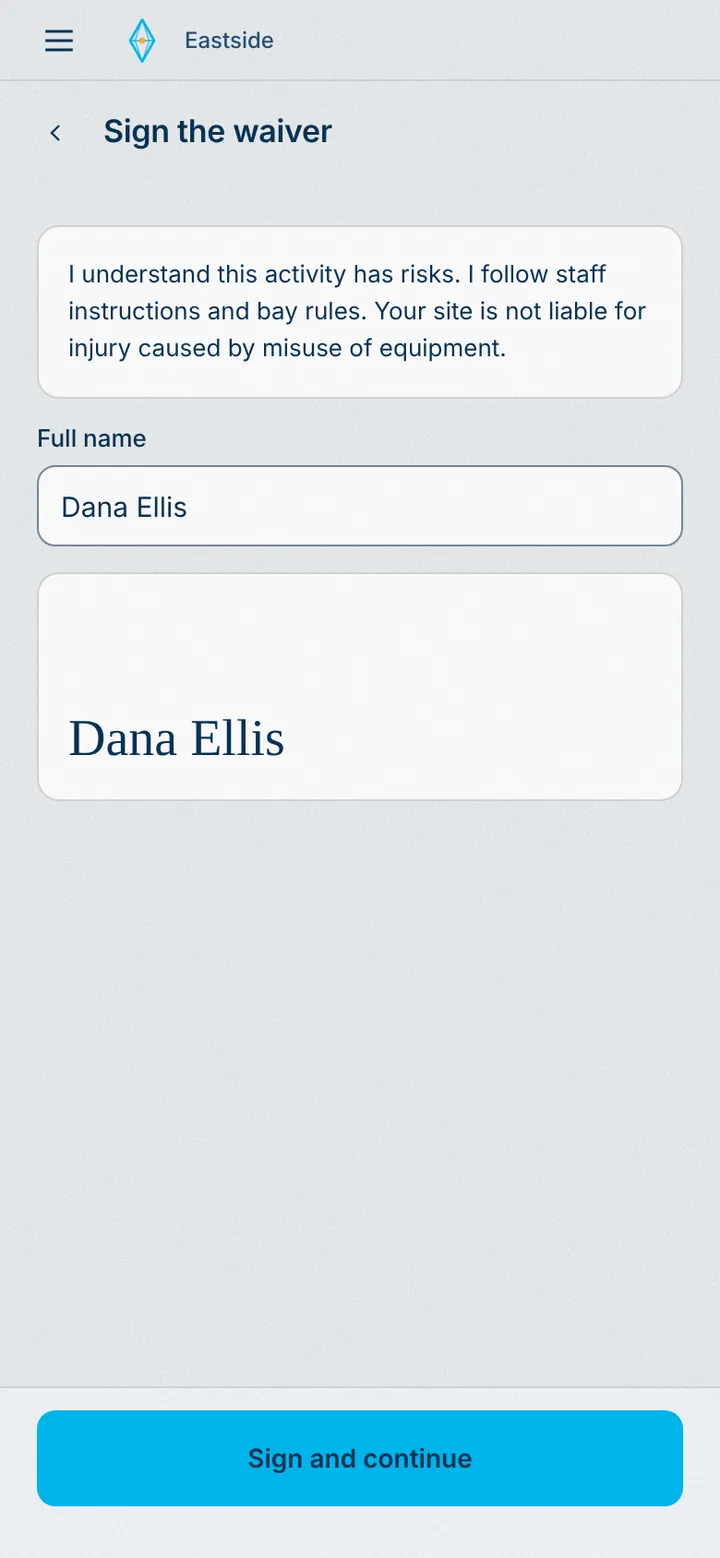
| Waivers | Coming soon. Every adult signs; a guardian signs for each minor.
|
| Memberships | Guests join, change card, or cancel by link. The POS can text a join link.
|
| Loyalty | Guests earn points and spend rewards. The POS applies points.
|
Hardware, data, and the software you already run, or have us build it.
| Module | What it does · settings in Sede HQ |
|---|---|
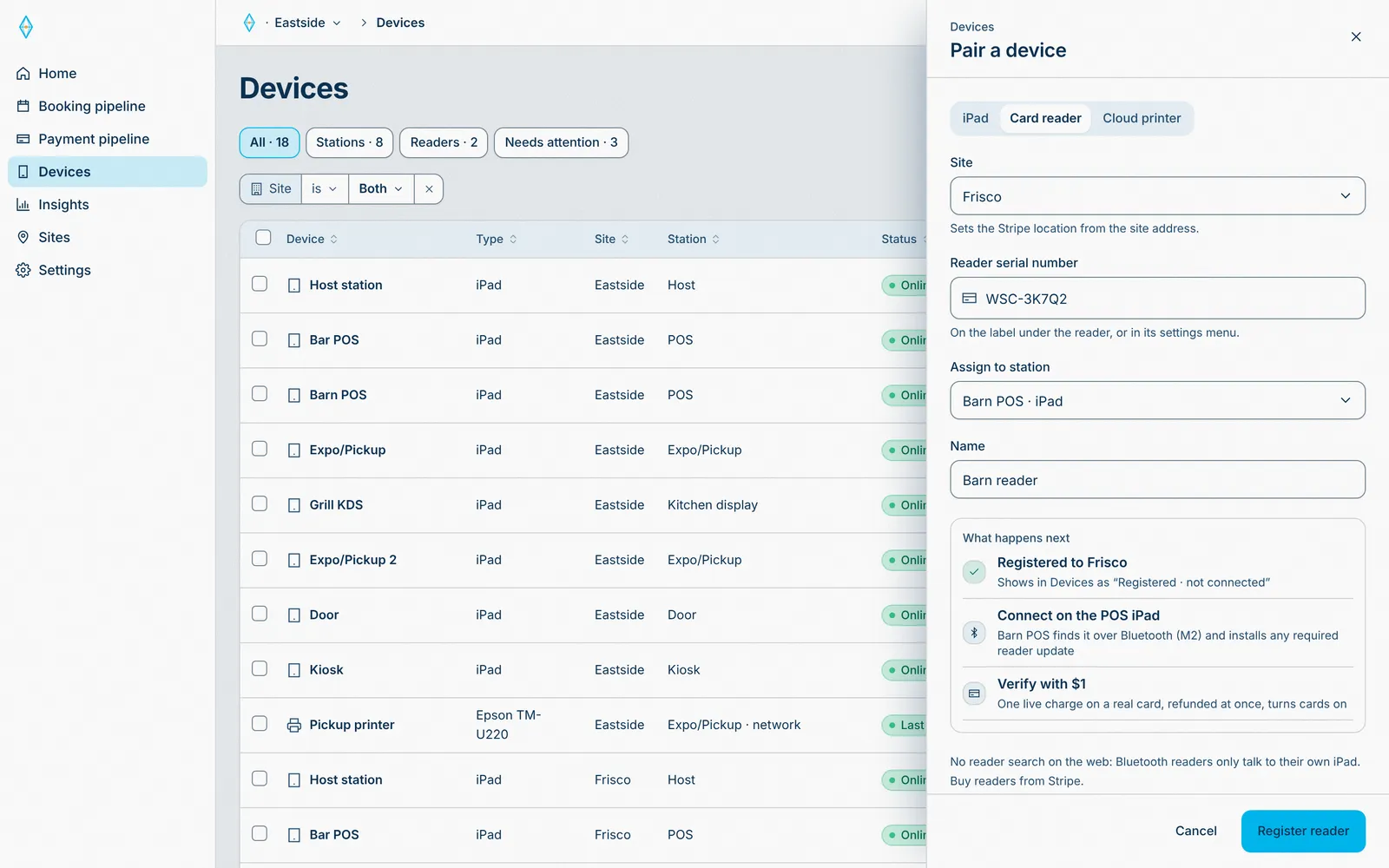
| Hardware | Stripe card readers, Epson receipt and kitchen printers, cash drawers, and Select Pi ball dispensers. Each pairs in Devices and shows its status.
|
| Data | Data sync: sales, visits, and bookings sync to your Snowflake account.
|
| Third-party software | Stripe for payments and tax, texting for guests, and Google or Microsoft sign-in for your team.
|
| Custom modules | We build what you need on the same core. See Built for your site, below. |
Offline
Selling can’t stop when the internet does.
Cash sales and the cash drawer save on the iPad.
The card reader has its own offline mode.
When the network is back, the iPad sends what it saved, in order. QR pay, online checkout, and refunds wait for the network.
On requestOffline hardware strategies to suit your needs
Run something we don’t ship yet? We build it as a module on the same core, with the booking engine, payments, roles, and audit trail already in place.
We connect Sede to the software and equipment your site already runs: by API, or through hardware protocols and IoT when needed. No double entry.
FAQ
Anywhere guests book, line up, play, order, or pay: a range, a track, a court, a festival, an event space.
iPads, a Stripe card reader, and network printers if you want them. No hub to install.
You do. Payments go to your own Stripe account, reconciled with Stripe.
Yes. Your logo and colors on every guest screen.
Every site sits under one account and reports to one HQ.
Book a demo, choose your level of engagement, and run a live test sale before you open. See How it works.
Every site. One HQ.
Tell us about your site. Choose how hands-on we are.